
Step-By-Step-Guide
Step 1: Find "Top Spaces by Sales"
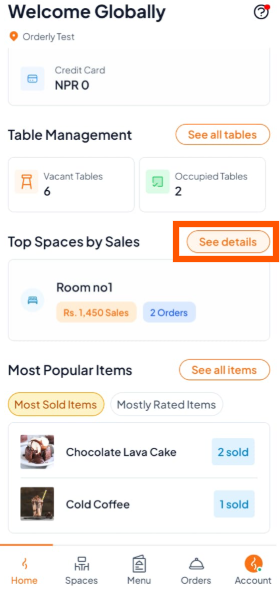
From the Home screen, scroll down until you see Top Spaces by Sales.
Tap "See details" to open the full report.
Step 2: View the Detailed Report
After tapping "See details", you will see the full "Top Spaces by Sales" report.
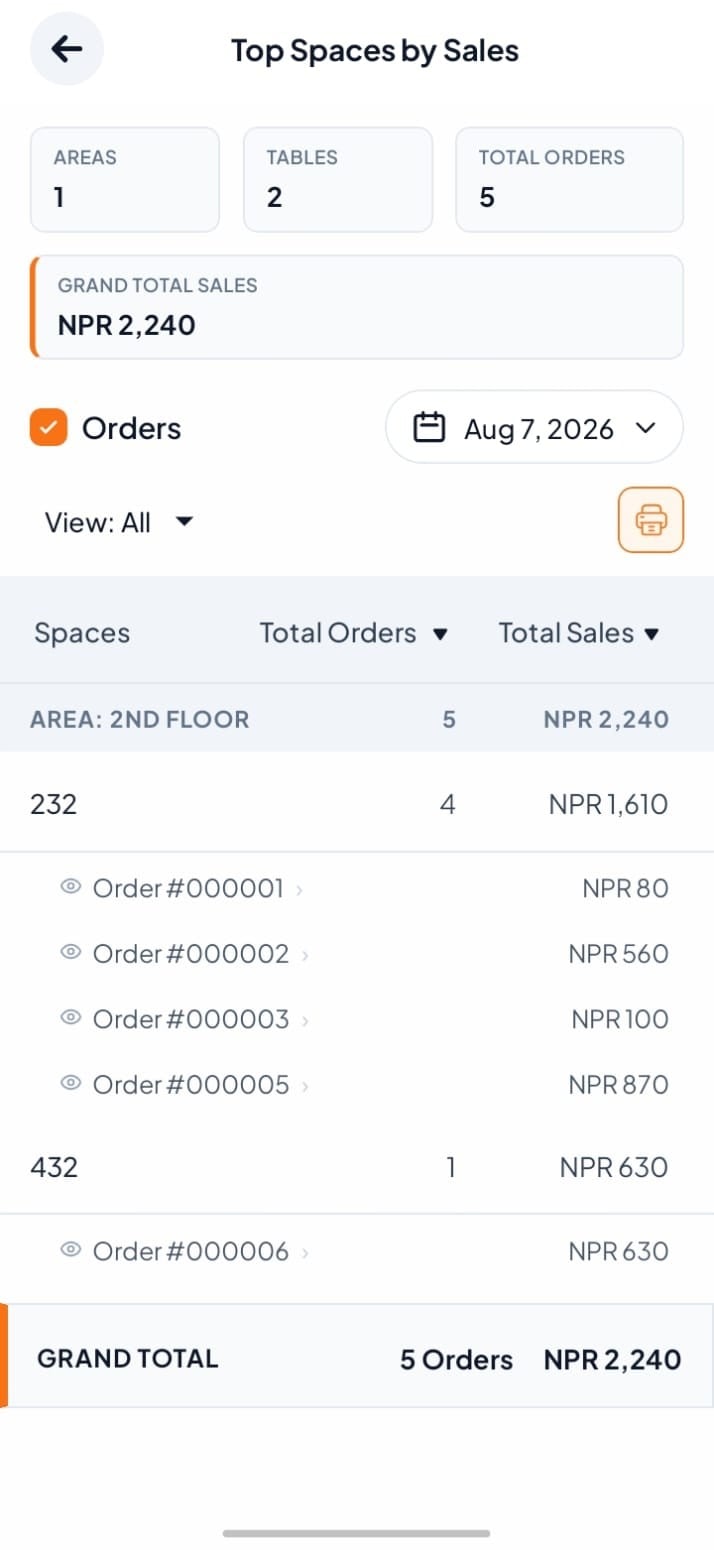

The report is based on completed orders. Make sure all client orders are marked as Completed to get accurate data.