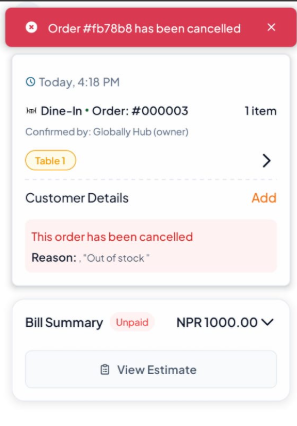
On both web and mobile:
Step-By-Step-Guide
Step 1: Find the Order You Want to Cancel in the Order Section.
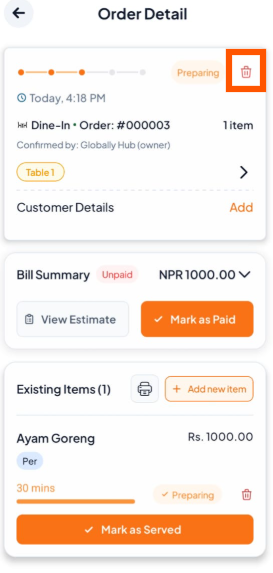
Step 2: Click the Delete Button on the Orders
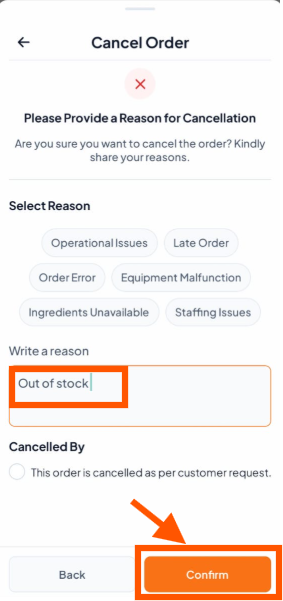
Step 3: Tell Us Why You're Cancelling
Select a Reason: You can quickly tap on a common reason listed under Select Reason or Write Your Own (For example, "Out of stock") and Click On "Conform".

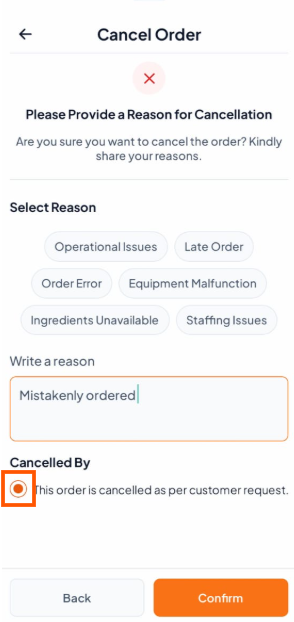
If the order was canceled by the customer, you can click the "Cancel by Customer" button and write reason (For example, "Mistakenly Ordered")
Step 4: The order will now be canceled and removed from the active orders list.