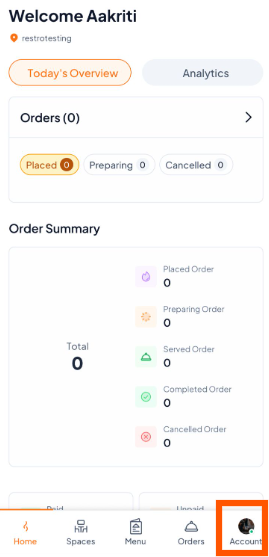
Step 1: Go to Account Settings
Open the Orderlay app, Tap the "Account" icon at the bottom right.
Make sure you are logged into the restaurant’s owner account.
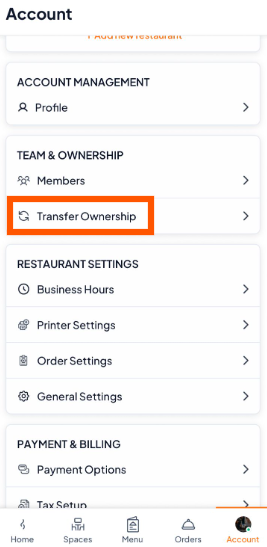
Step 2: Select "Transfer Ownership"
Scroll to TEAM & OWNERSHIP section
Tap "Transfer Ownership"
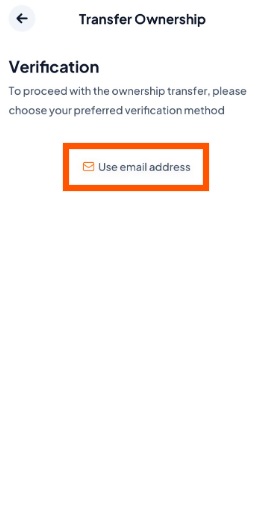
Step 3: Verify Your Identity
You will be asked to verify using:
Email (if you signed up with email), or
Phone number (if you signed up with a phone number)
Choose the one you used when creating your Orderlay owner account.
For example, here we are given the option of using an email address because the account was created with email.
Step 4: Enter the Verification Code
Enter the 6-digit code sent to your email or phone to confirm your account. Then, on the Assign New Owner page, Choose an option:
Email Address: If the new owner's Orderlay account was created using their email.
Phone Number: If the new owner's Orderlay account was created using their phone number.
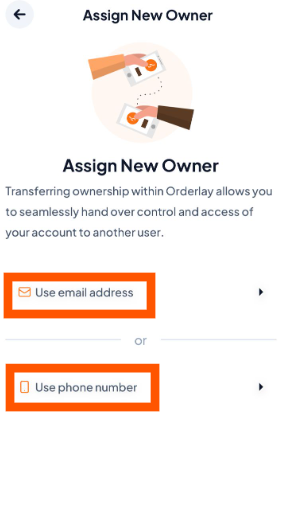
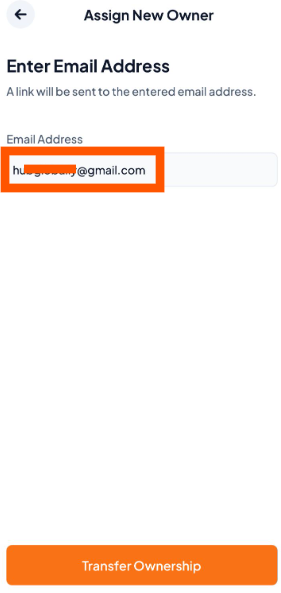
Step 5: Enter Email or Phone Number
Enter the new owner’s email or phone number. For example, if their account was created with an email, enter that email to transfer ownership.
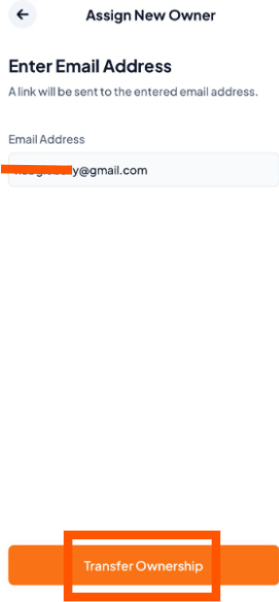
Step 6: Tap "Transfer Ownership" to send the request.
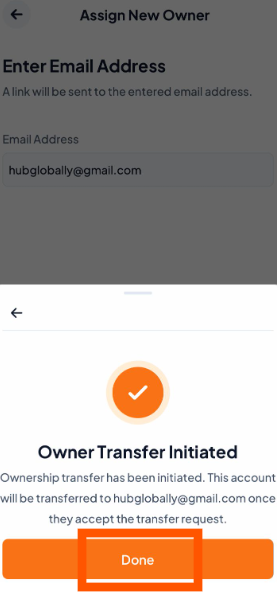
Step 7: Ownership Transfer Initiated
You will see a message: "Owner Transfer Initiated". Tap "Done".