
On Both App and Web
Step-By-Step-Guide
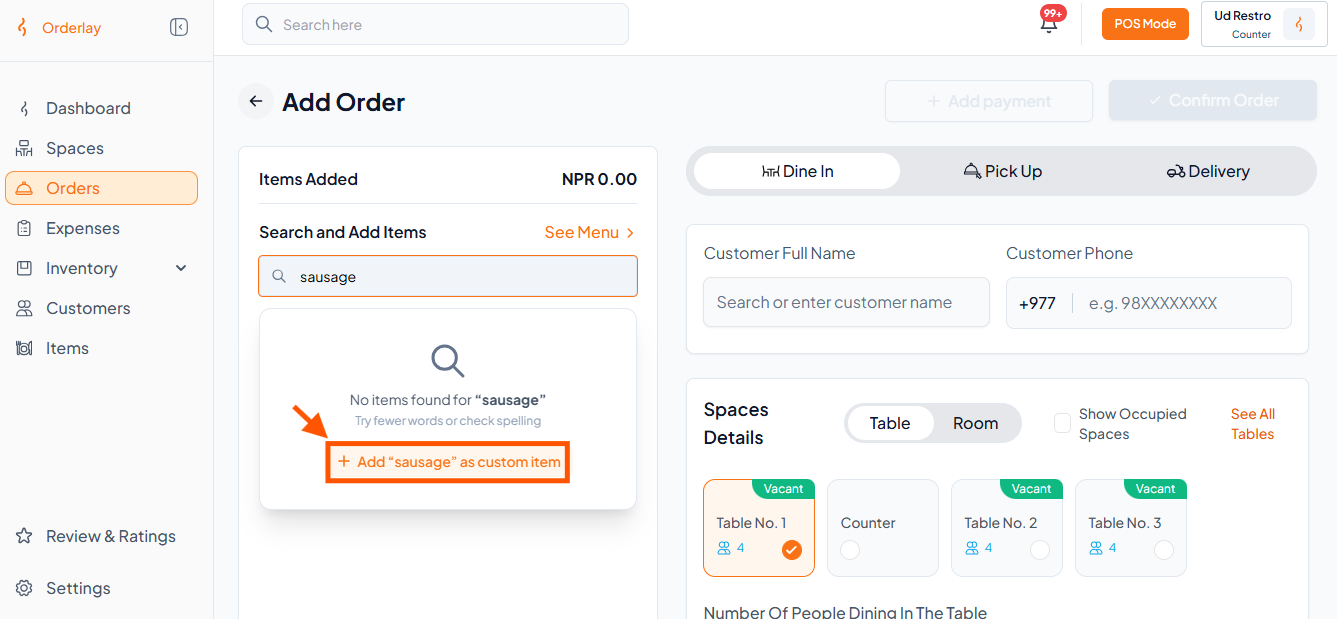
Step 1: Start custom item
On the Add Order page, search for an item. If not found, click + Add "item name" as custom item.
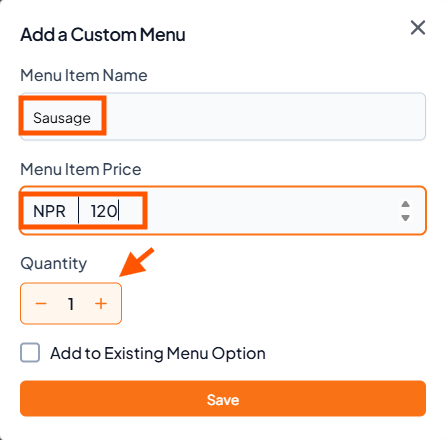
Step 2: Fill in details
Enter the Menu Item Name, Price (NPR), and Quantity.
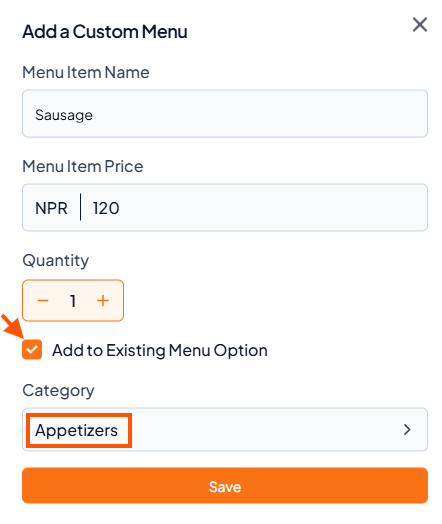
Step 3: Save to menu (optional)
Tick "Add to Existing Menu Option" and choose a Category (e.g., Appetizers).
Then click "Save".

Note: Only Owners and Managers can add items to the existing menu. Regular staff can only add custom items for the current order.