
Before You Start: Keep Your Data in Orderlay
Lens can only answer using the information that is inside Orderlay. The more complete your records are, the more accurate your answers will be. For best results:
Record every sale through Orderlay (dine-in, takeaway and online orders).
Record every expense, such as rent, salary, utilities, gas and supplier payments.
Keep your inventory updated. Add stock when it arrives and keep item costs correct.
Add the cost of each menu item so Lens can calculate your margins.
Step-By-Step-Guide
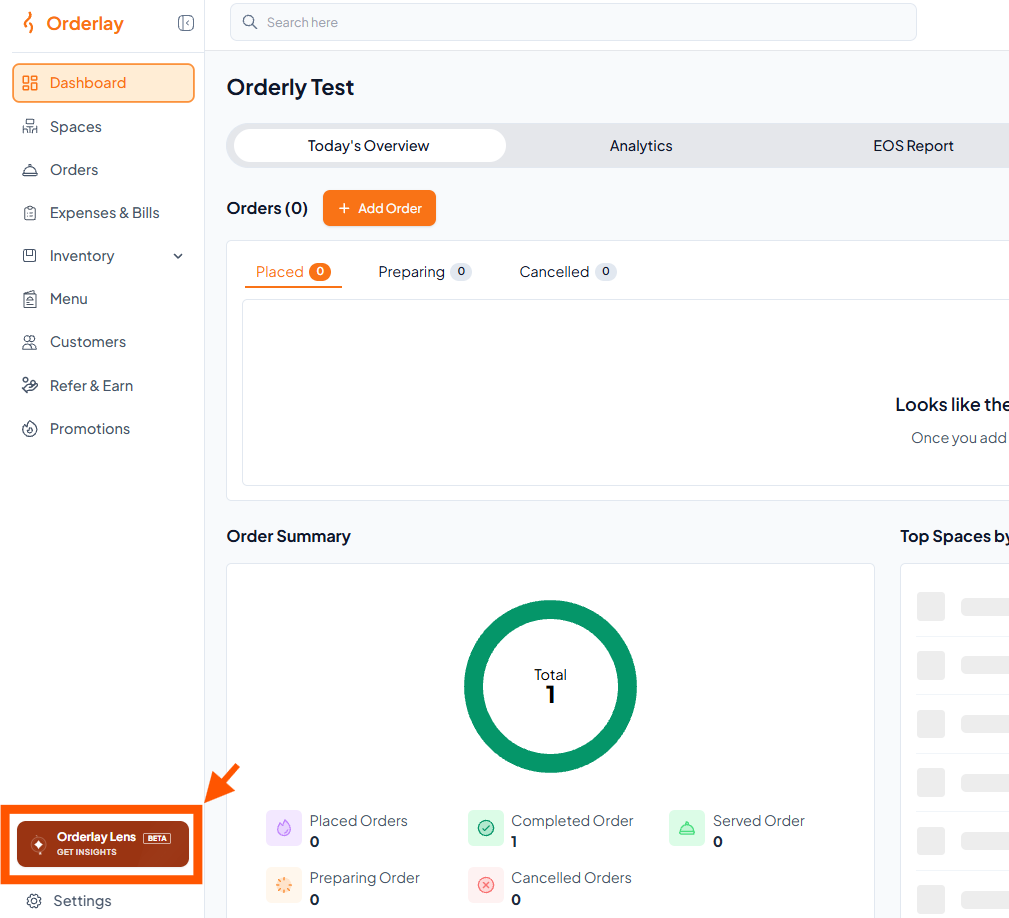
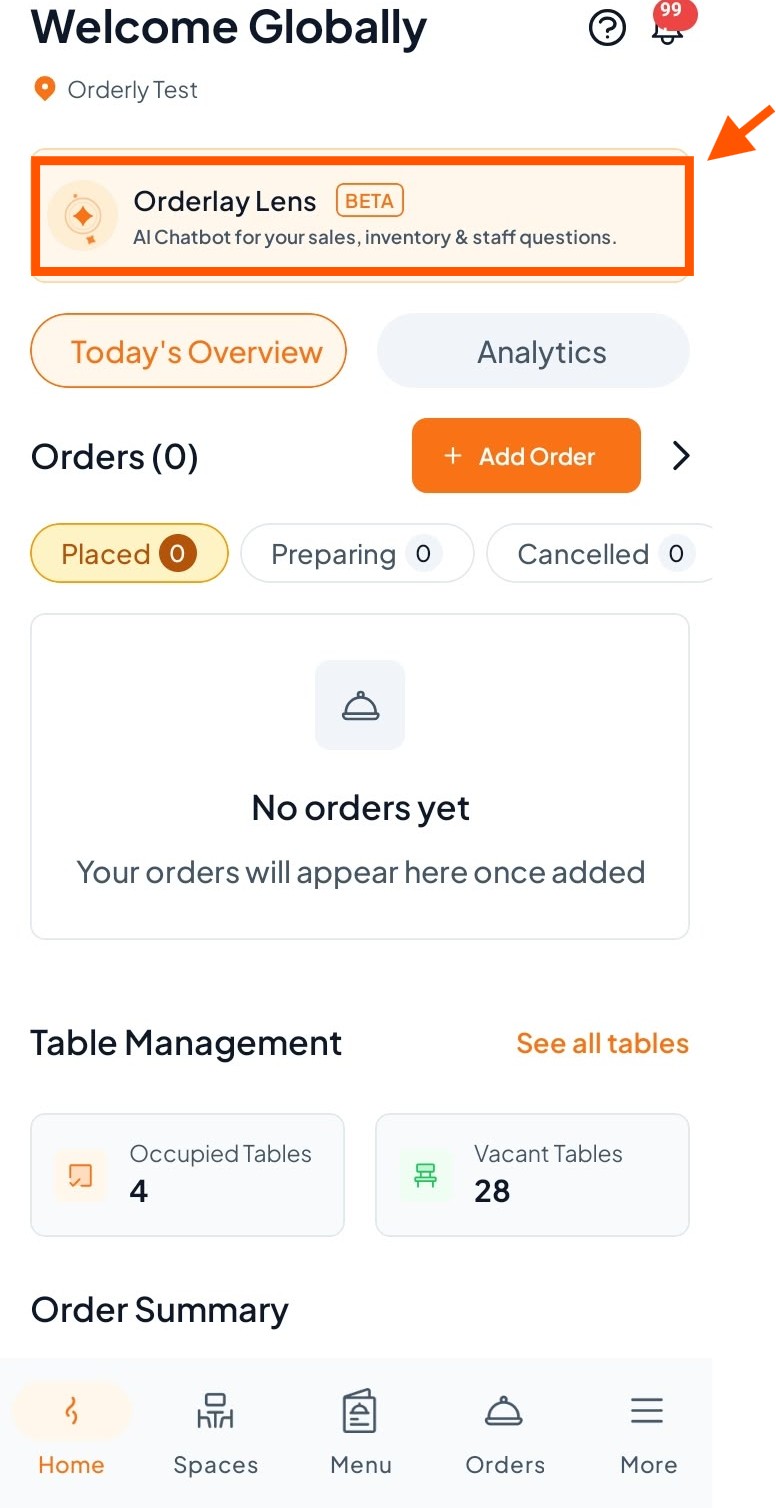
Step 1: On your dashboard, click "Orderlay Lens".
On Web:
On App:
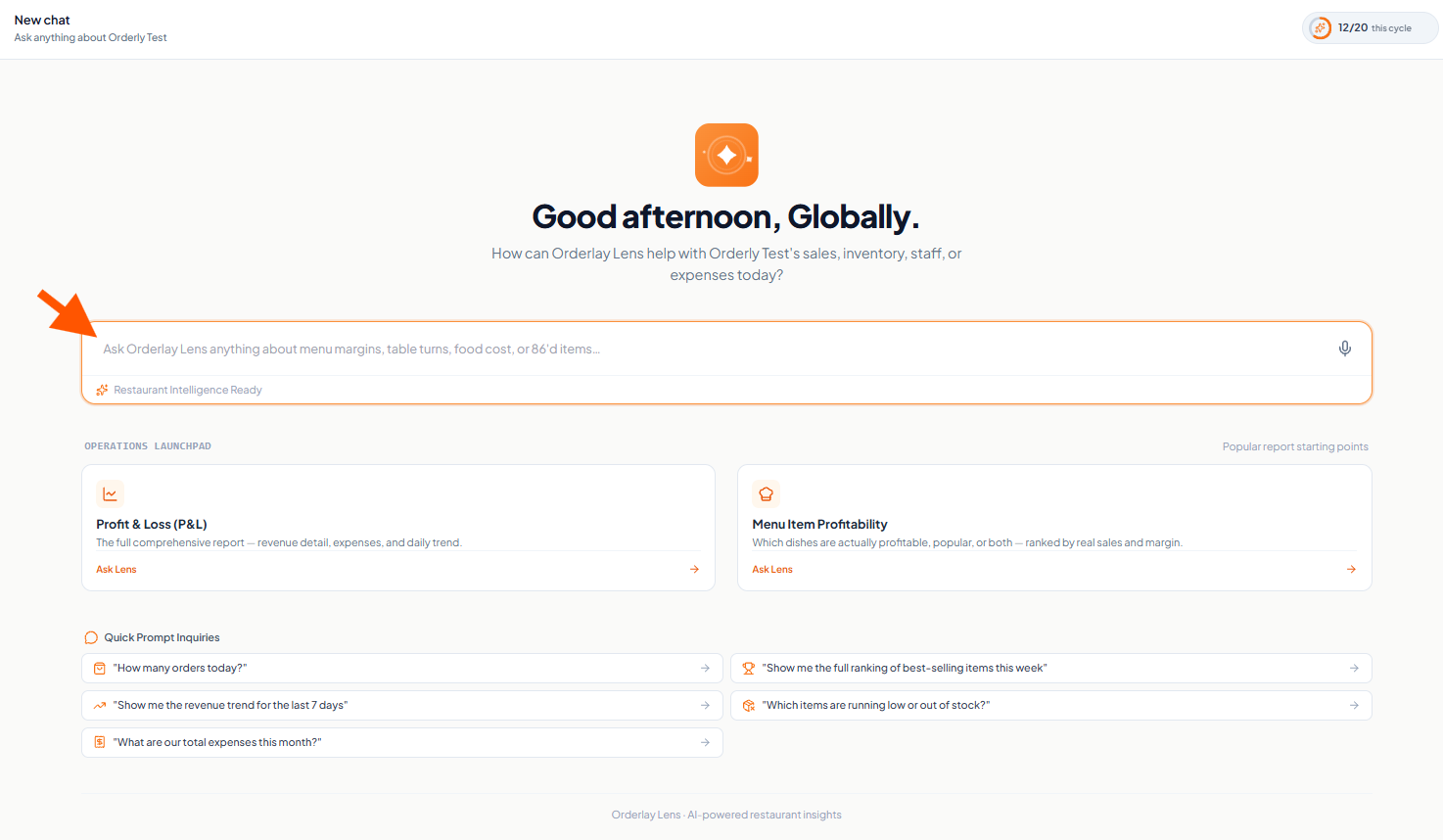
Step 2: Click the message box to "Ask Orderlay Lens anything about Orderlay”
Type the question or You can also click the microphone icon on the right and speak instead.
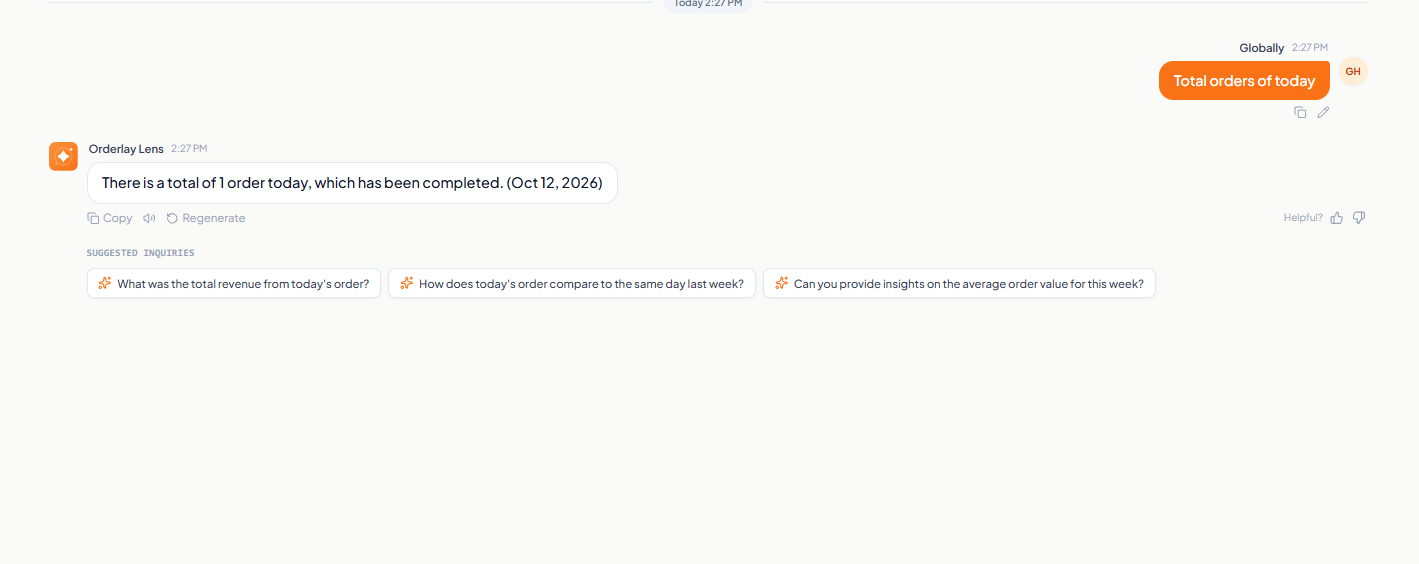
Step 3: Example of an AI Response
Here is an example of how Orderlay Lens answers your question and provides insights based on your restaurant's data.
Explore More Reports With Ordelay Lens
To learn how to view your Profit & Loss Report, [click here].
To learn how to view your Menu Item Profitability Report, [click here].