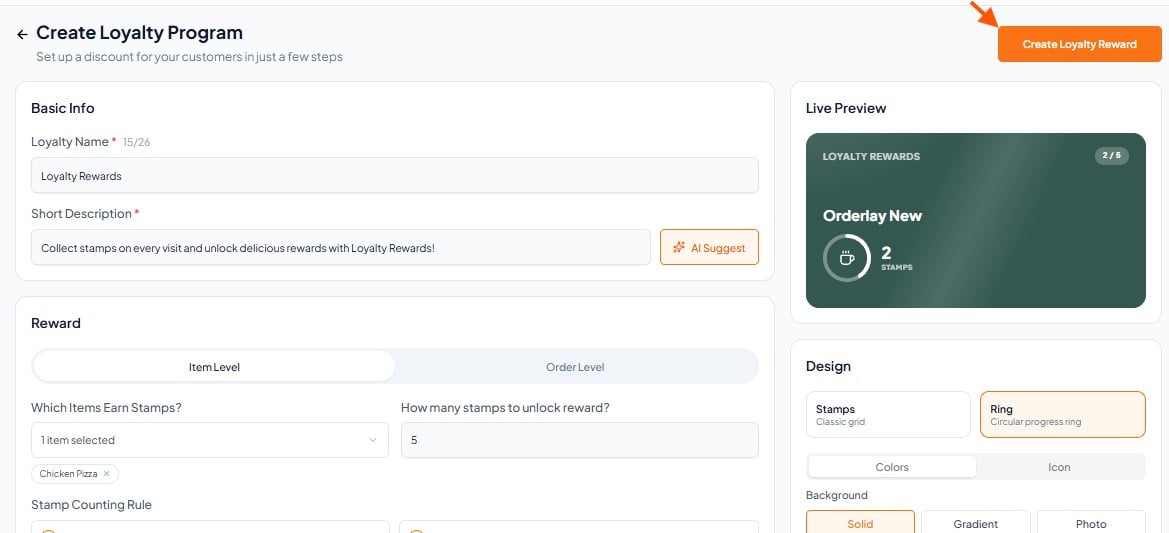
Step-By-Step-Guide
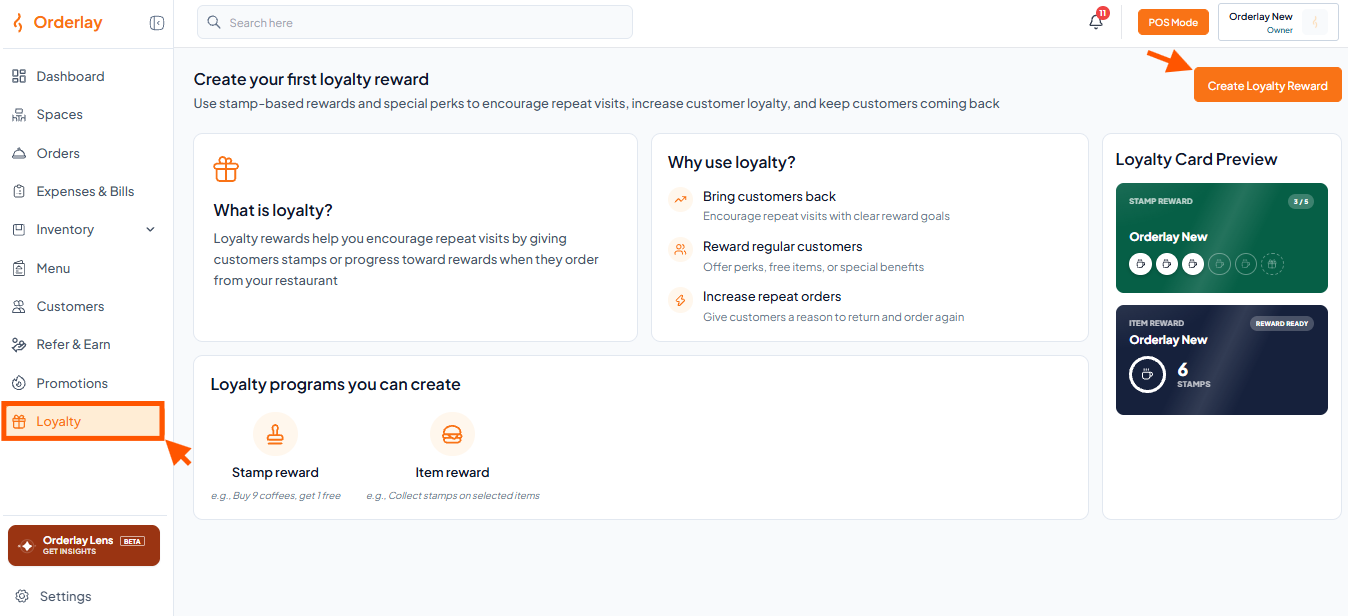
Step 1: Navigate to Loyalty
On Web: Go to Loyalty and click Create Loyalty.
On Mobile: Go to More → Scroll and select Loyalty → click Create Loyalty .
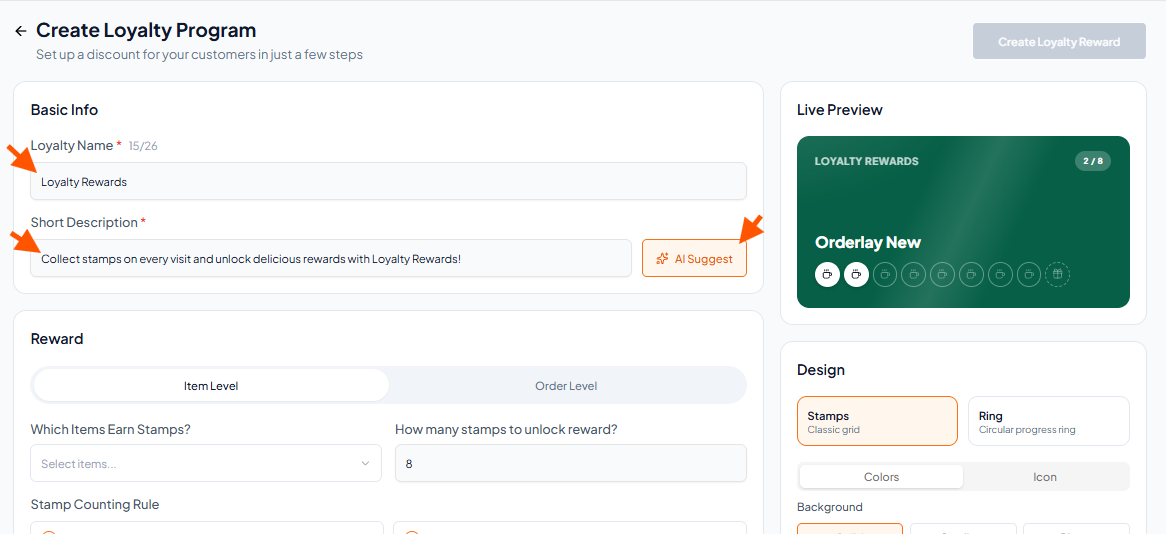
Step 2: Fill in the Basic Info
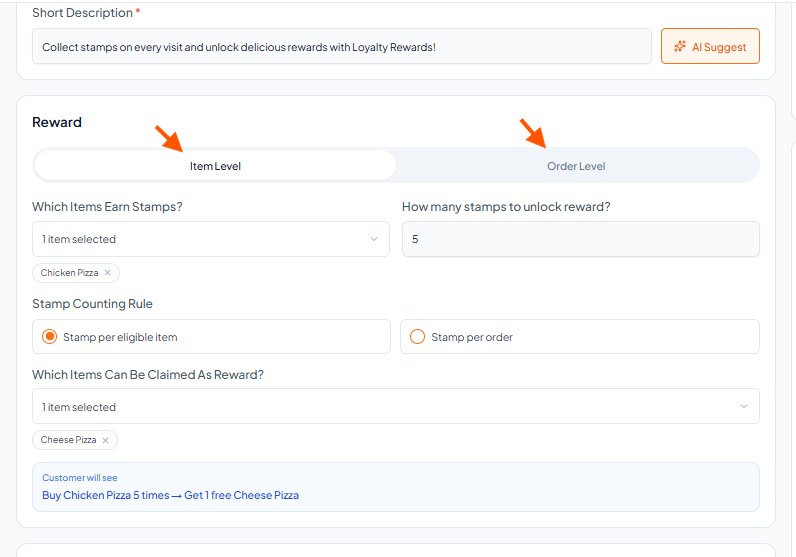
Enter Loyalty Title & Short Description.
Click AI Suggest for auto-generated description).
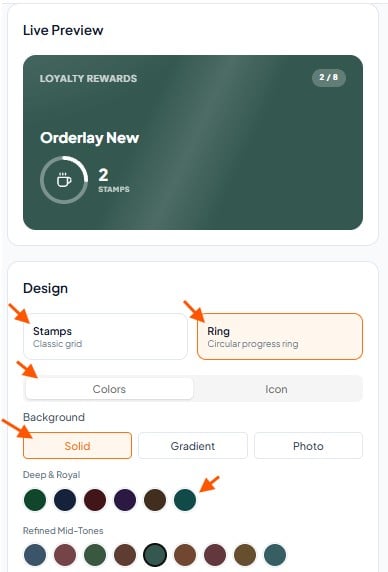
Step 3: Design the Banner (Live Preview)
Customize the loyalty program design by choosing the card style (Stamps or Ring), colors, icon, and background.
Step 4: Set up the rewards type
Click here for Item Level Reward
Click here for Order Level Reward
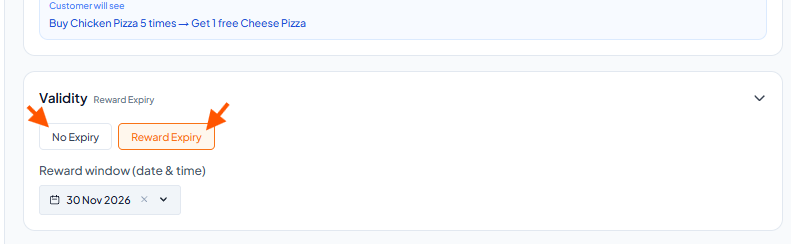
Step 5: Select the "Validity"
Choose No Expiry if you don't want the loyalty to end, or select Reward Expiry to set a specific date range.
Step 6: Finalize
Click the "Create Loyalty reward"