Step-By-Step-Guide
Step 1: Select a Menu Item
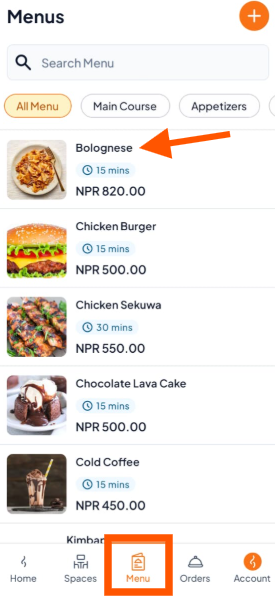
Open the Menu section and tap the item you want to change (e.g., Bolognese).
Step 2: Choose What You Want to Do
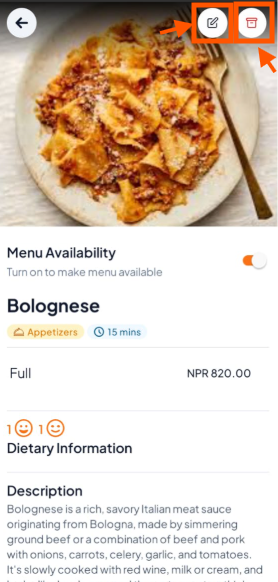
On the item details screen, you'll see two options:
Edit - Tap the "Edit" button to modify item details
Delete - Tap the "Delete" button and confirm to remove the item completely.
Step 3: Save Changes (If Editing)
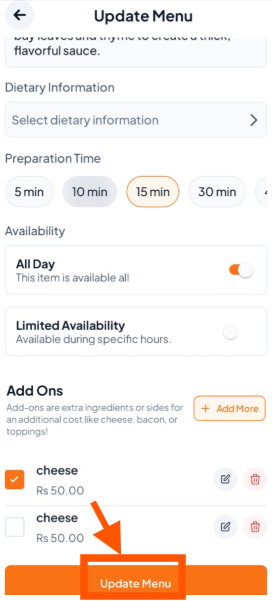
Once you’re done editing the item, tap "Update Menu" to save the changes.