Each new member must download the Orderlay App from App Store or Play Store and Create a personal account to accept the invitation.
Only users with the Owner or Manager role can invite new team members.
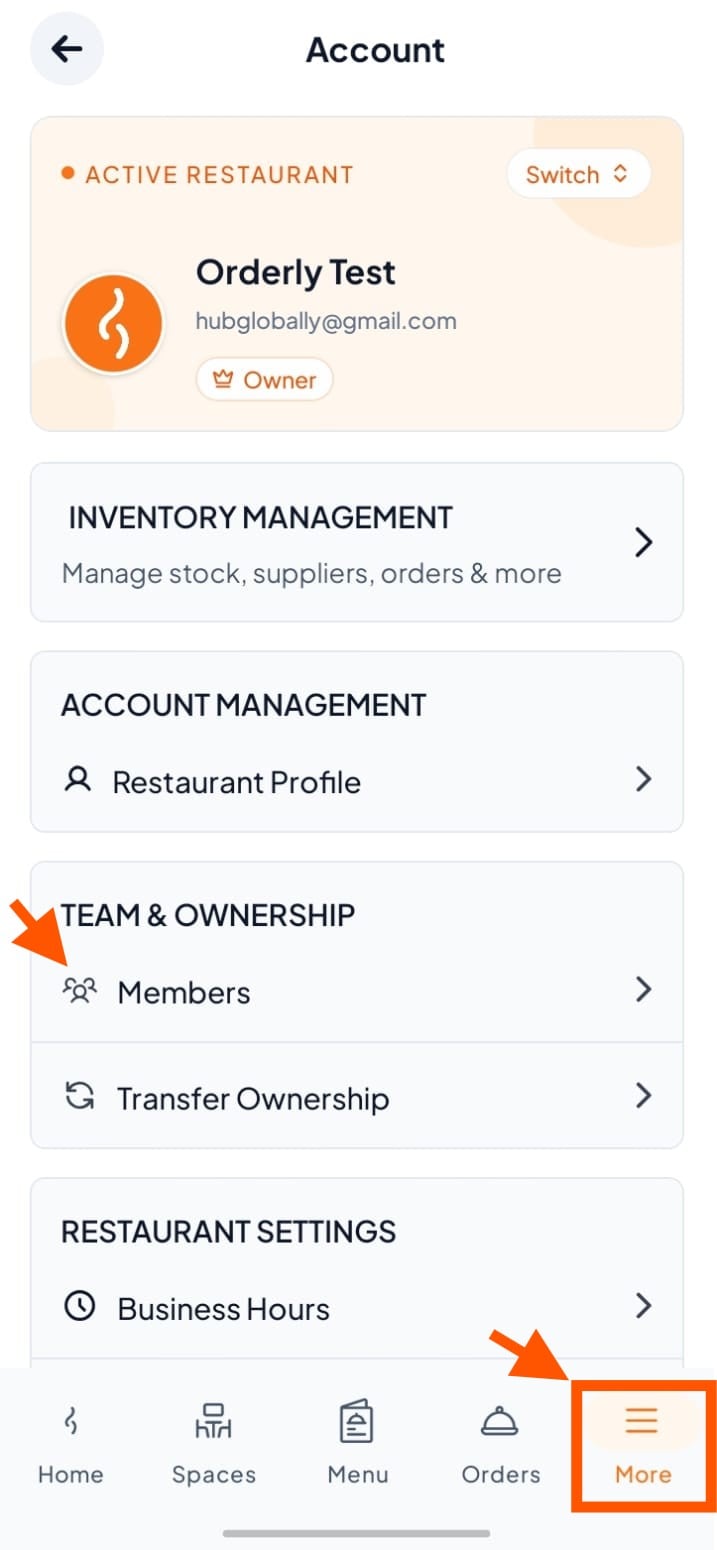
Step 1: Go to Team & Ownership
Tap "More" at the bottom right.
Under TEAM & OWNERSHIP, tap "Members" to start inviting new team members.
Step 2: Add a New Member
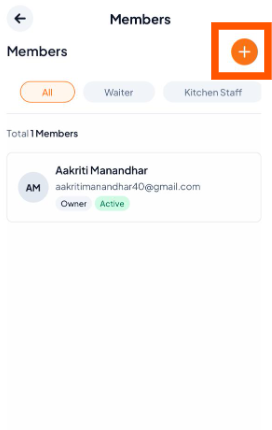
You have two ways to add members:
Option 1: Use the (+) Button
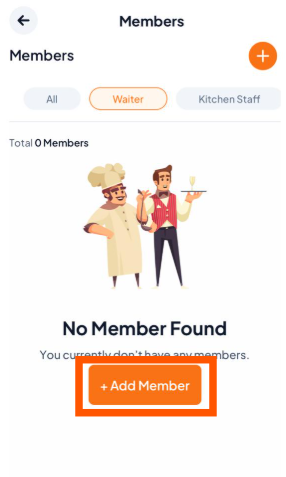
Option 2: From the members list, choose a role (e.g., Manager, Kitchen Staff) and tap "+ Add Member".
Step 3: Enter Member Details
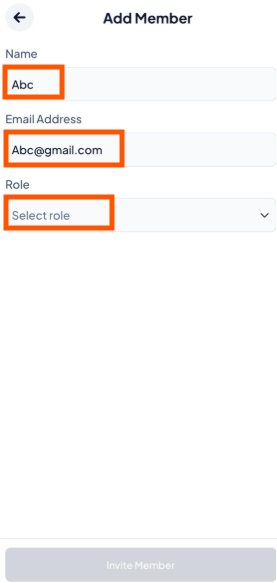
Type the member’s Name and Email.
Tap "Select Role" to assign their role in the team.

Step 4: Send Invitation
Tap "Invite Member". The new member must accept the invitation.