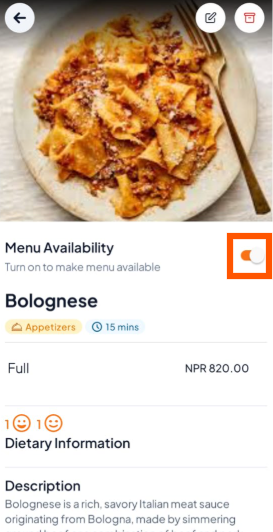
Step 1: Select Menu Item
Go to the Menu section in your Orderlay app.
Tap on the item you want to manage (for example, Bolognese).

Step 2: Toggle Availability
Look for the Menu Availability switch on the item details page.
Turn it ON to show the item to customers
Turn it OFF to hide the item from customers